Setup for Introduction to SQL Training using SQL Server
Required Software
- Windows 10 or later.
- Microsoft SQL Server Express - Microsoft's free edition of their SQL Server RDBMS.
- SQL Server Management Studio
Instructions
Creating the Webucator Folder
The first step to setting up for your course is to create the folder in which you will store your class files: Create a new folder named Webucator wherever you want, but make sure you remember where it is.
Getting the Class Files for Introduction to SQL
Download the Introduction to SQL class files and unzip them into the Webucator folder and rename the unzipped folder "SQL101".
Install Microsoft SQL Server Express
- Download Microsoft SQL Server Express from this page.
- Run the installer.
- Select the Basic installation and click through the installer.
- When the installation completes, close the installer.
Install SQL Server Management Studio
- Download SQL Server Management Studio.
- Run the installer (vs_SSMS.exe).
- Select the Basic type and accept all the defaults.
- When the installer completes, click the Launch button adjacent to SQL Server Management Studio 22.
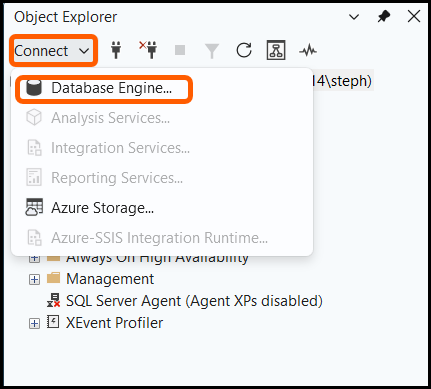
Create a new connection using the Object Explorer in the upper left hand corner of the screen:
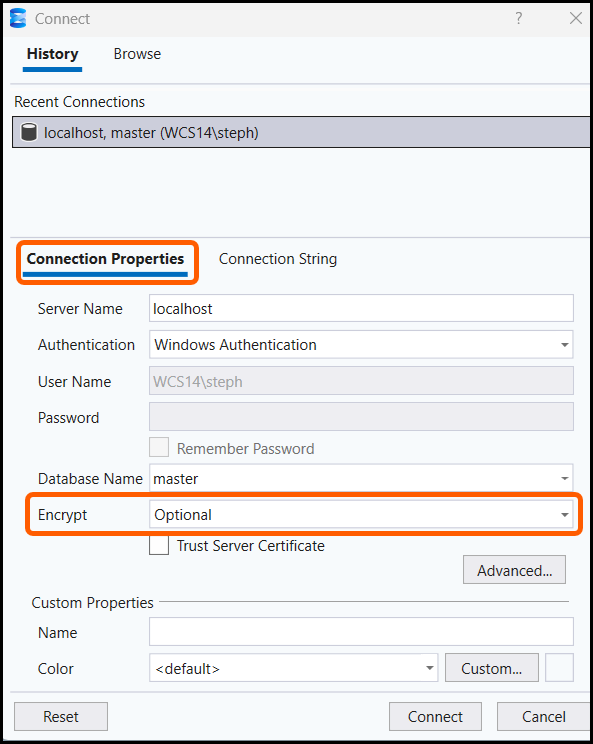
Within the Connection dialog panel, specify localhost, as the Server Name if it's not filled in already and set Encrypt to Optional:
- Click the Connection String tab.
Fill in the connection string as shown below:
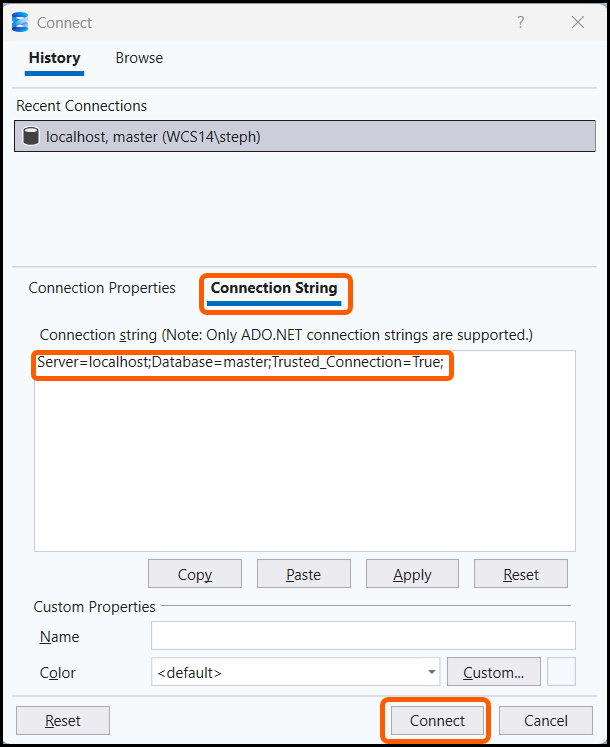
- Click Connect.
Install the Northwind Database Used in Class
- Select File > Open File...
- Navigate to SQL101\setup\Northwind-SQLServer.sql. Click Open.
Click the Execute button on the toolbar:
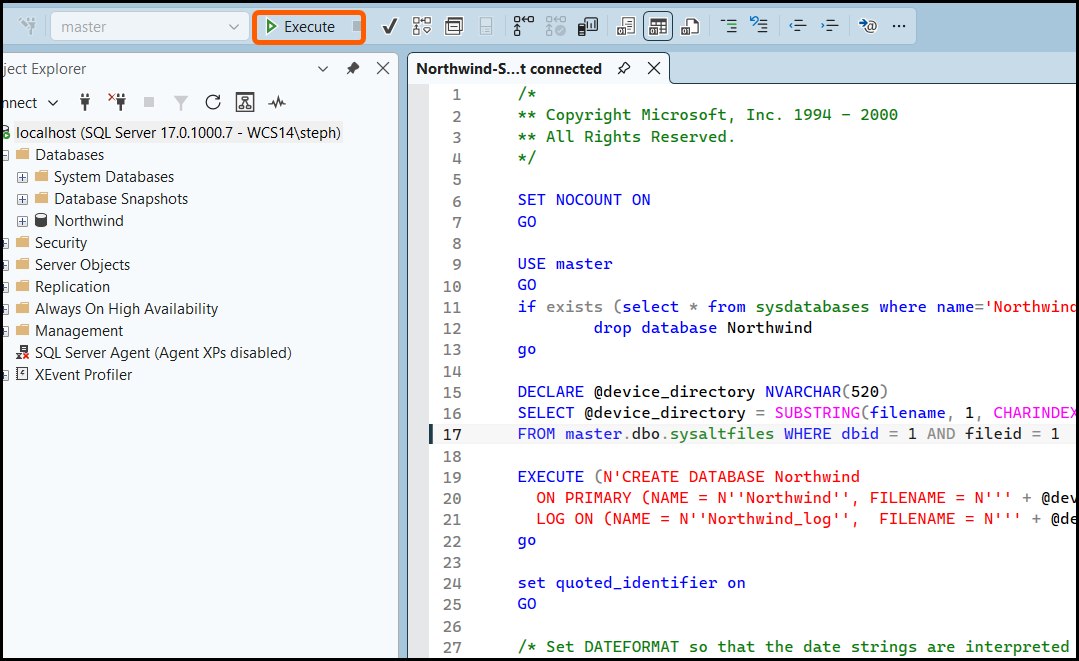
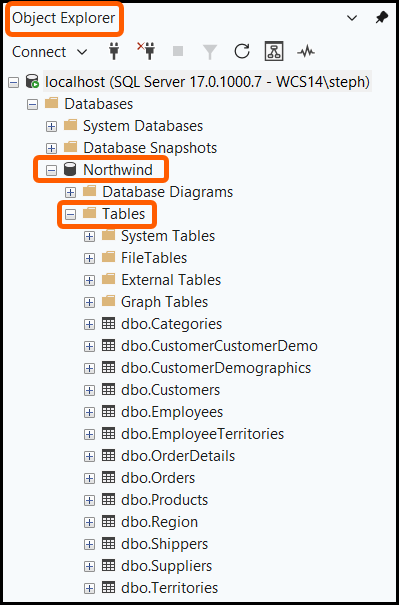
In the Object Explorer, expand Databases and then expand Northwind. Under Northwind, expand Tables to view the tables:
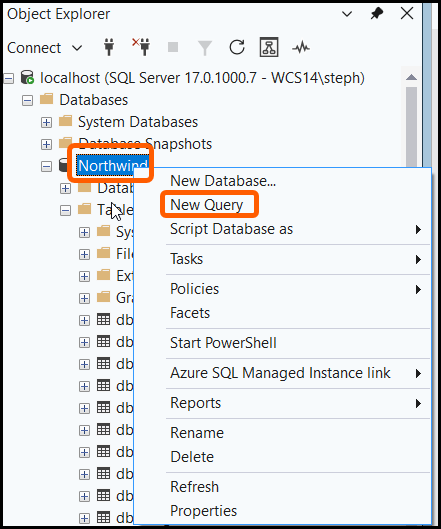
Right-click the The Northwind database in the Object Explorer and select New Query:
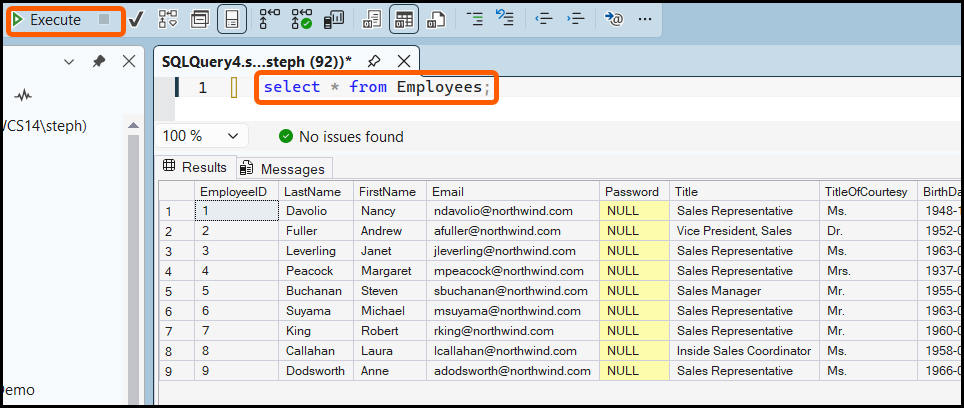
Type in select * from Employees; and then click the Execute icon. Here is the result you should see:
Congratulations. You are all set for your course.
Courses and Class Files
This setup page is used for the following course:
Courses
- Querying Microsoft SQL Server with Transact-SQL.
- All students should download the following class files: